18
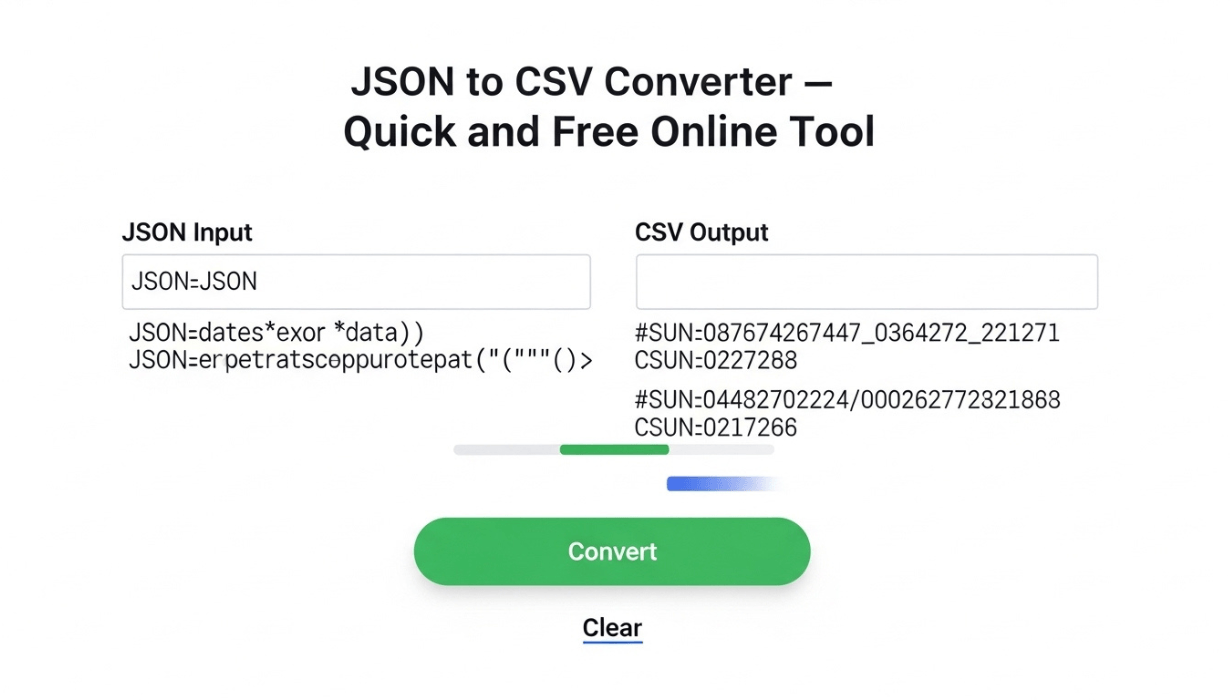
JSON to CSV Converter — Quick and Free Online Tool
Convert JSON data to CSV format instantly with our free online tool. No installation, no signup — just paste and convert at MultiToolHub.
Why Convert JSON to CSV?
JSON (JavaScript Object Notation) and CSV (Comma-Separated Values) are two of the most widely used data formats in the digital world. While JSON is the standard for APIs, web applications, and data exchange between servers, CSV is the go-to format for spreadsheets, databases, and data analysis tools like Excel and Google Sheets.
If you have ever needed to move data from a web application into a spreadsheet, you have probably needed a JSON to CSV converter online tool. MultiToolHub offers a fast, free, and reliable JSON to CSV converter online that transforms your data in seconds — no software installation, no account required.
What Is JSON?
JSON stands for JavaScript Object Notation. It is a lightweight data format that is easy for humans to read and write, and easy for machines to parse and generate. JSON is used everywhere in modern web development:
- API responses from web services
- Configuration files for applications
- Data storage in NoSQL databases like MongoDB
- Data exchange between frontend and backend systems
A typical JSON structure looks like this:
[
  {"name": "Alice", "email": "alice@example.com", "role": "Developer"},
  {"name": "Bob", "email": "bob@example.com", "role": "Designer"},
  {"name": "Charlie", "email": "charlie@example.com", "role": "Manager"}
]
What Is CSV?
CSV stands for Comma-Separated Values. It is a simple tabular format where each line represents a row of data and each value is separated by a comma. CSV files can be opened in any spreadsheet application:
name,email,role
Alice,alice@example.com,Developer
Bob,bob@example.com,Designer
Charlie,charlie@example.com,Manager
CSV is universally supported by Excel, Google Sheets, LibreOffice, database tools, and data analysis platforms like Python Pandas and R.
How to Use MultiToolHub's JSON to CSV Converter
Converting JSON to CSV with MultiToolHub's free online tools is incredibly simple:
Step 1: Open the Tool
Visit multitoolhub.site and navigate to the JSON to CSV converter under the Converters section. This is one of the most popular developer tools online on our platform.
Step 2: Paste Your JSON Data
Copy your JSON data and paste it into the input field. The JSON to CSV converter online accepts arrays of objects, which is the most common JSON structure for tabular data.
Step 3: Click Convert
Hit the "Convert" button and your CSV output will appear instantly. The tool automatically detects the JSON keys and uses them as column headers.
Step 4: Copy or Download
Copy the CSV output to your clipboard or download it as a .csv file. Open it in Excel, Google Sheets, or any spreadsheet application.
Why Use a JSON to CSV Converter?
There are many scenarios where you need to convert JSON to CSV:
1. Data Analysis
Analysts often receive data in JSON format from APIs but need it in CSV for tools like Excel, Google Sheets, Tableau, or Power BI. A JSON to CSV converter online bridges this gap instantly.
2. Database Import/Export
When migrating data between systems, you may export JSON from a NoSQL database and need to import it into a relational database that accepts CSV. MultiToolHub's free online tools make this conversion seamless.
3. Reporting
Managers and stakeholders often need data in spreadsheet format for reports. Converting JSON API responses to CSV makes data accessible to non-technical team members.
4. Data Cleaning
CSV files are easier to edit and clean in spreadsheet applications. Convert your JSON data to CSV, clean it up in Excel, and then convert it back if needed using MultiToolHub's CSV to JSON tool.
5. Backup and Archiving
CSV is a simple, universal format that will be readable for decades. Converting important JSON data to CSV ensures long-term accessibility.
MultiToolHub's Complete Data Conversion Suite
The JSON to CSV converter online is just one part of MultiToolHub's comprehensive data conversion toolkit. As a multi tool website, we offer a full suite of developer tools online:
- JSON to CSV — Convert JSON arrays to comma-separated values
- CSV to JSON — Convert CSV data back to JSON format
- JSON to XML — Transform JSON into XML format
- XML to JSON — Convert XML documents to JSON
- JSON Beautifier — Format and prettify messy JSON data
- JSON Validator — Check if your JSON is valid and well-formed
- Markdown to HTML — Convert Markdown to HTML
- HTML to Markdown — Convert HTML back to Markdown
These online utility tools cover every data conversion need a developer might have — all completely free.
Tips for Successful JSON to CSV Conversion
- Use flat JSON structures — CSV works best with flat data. Nested JSON objects may need to be flattened first.
- Ensure consistent keys — All objects in your JSON array should have the same keys for clean CSV output.
- Validate your JSON first — Use MultiToolHub's JSON Validator to check for syntax errors before converting.
- Handle special characters — If your data contains commas or quotes, the converter handles escaping automatically.
- Check large datasets — For very large JSON files, consider splitting them into smaller chunks.
JSON to CSV vs. CSV to JSON: When to Use Each
Use JSON to CSV when:
- You need to analyze API data in a spreadsheet
- You are creating reports for non-technical stakeholders
- You are importing data into a system that only accepts CSV
- You want a human-readable tabular view of your data
Use CSV to JSON when:
- You need to send spreadsheet data to an API
- You are importing data into a web application or NoSQL database
- You are building a JSON configuration from tabular data
MultiToolHub offers both tools as free online tools, making it the perfect all in one web tools platform for data conversion.
Why Choose MultiToolHub for Data Conversion?
- 100% Free — No premium plans, no usage limits, no hidden costs
- No Registration — Start converting immediately without creating an account
- Privacy Focused — All processing happens in your browser; your data never leaves your device
- Instant Results — Conversions happen in milliseconds, even for large datasets
- Developer Friendly — Clean, well-formatted output ready for immediate use
- Part of a Larger Platform — Access 100+ other free online tools on the same multi tool website
Frequently Asked Questions (FAQ)
Is the JSON to CSV converter free?
Yes, MultiToolHub's JSON to CSV converter online is completely free with no limits on usage.
Can I convert nested JSON to CSV?
The tool works best with flat JSON arrays. For deeply nested structures, you may need to flatten the JSON first.
Is my data safe when using this tool?
Absolutely. All conversion happens locally in your browser. Your data is never uploaded to or stored on any server.
What is the maximum size of JSON I can convert?
The tool handles most standard-sized JSON datasets. For extremely large files (over 10MB), consider splitting the data into smaller parts.
Can I also convert CSV back to JSON?
Yes! MultiToolHub also offers a CSV to JSON converter among its developer tools online.
Does the tool support JSON with different data types?
Yes, the converter handles strings, numbers, booleans, and null values. Arrays and nested objects within the JSON are converted to their string representation.
Conclusion
Whether you are a developer working with API data, an analyst building reports, or a data engineer migrating between systems, a reliable JSON to CSV converter online is an essential tool in your workflow.
MultiToolHub's converter is fast, free, and private — making it one of the best free web tools 2026 for data conversion. Combined with JSON Validator, JSON Beautifier, and CSV to JSON converter, you have a complete data toolkit at your fingertips.
Visit multitoolhub.site today and explore all the developer tools online and online utility tools available. Your data conversion workflow just got a whole lot easier.
Contact
Missing something?
Feel free to request missing tools or give some feedback using our contact form.
Contact Us