18
Text to Binary Converter — How Computers Read Your Text
Convert any text to binary code instantly. Learn how binary encoding works and use our free text to binary converter at MultiToolHub.
The Language of Computers
Every piece of text you read on a screen, every email you send, and every message you type is ultimately stored and processed as binary code — a series of 0s and 1s. Binary is the fundamental language that computers use to represent all data, from simple text to complex software programs.
A text to binary converter is a tool that translates human-readable text into its binary equivalent. MultiToolHub offers a fast, free text to binary converter that lets you encode any text into binary code instantly — no downloads, no signup, just pure conversion.
What Is Binary Code?
Binary code is a number system that uses only two digits: 0 and 1. Every character you type on a keyboard has a corresponding binary representation based on character encoding standards like ASCII or UTF-8.
For example:
- The letter A in binary is: 01000001
- The letter a in binary is: 01100001
- The number 1 in binary is: 00110001
- A space character in binary is: 00100000
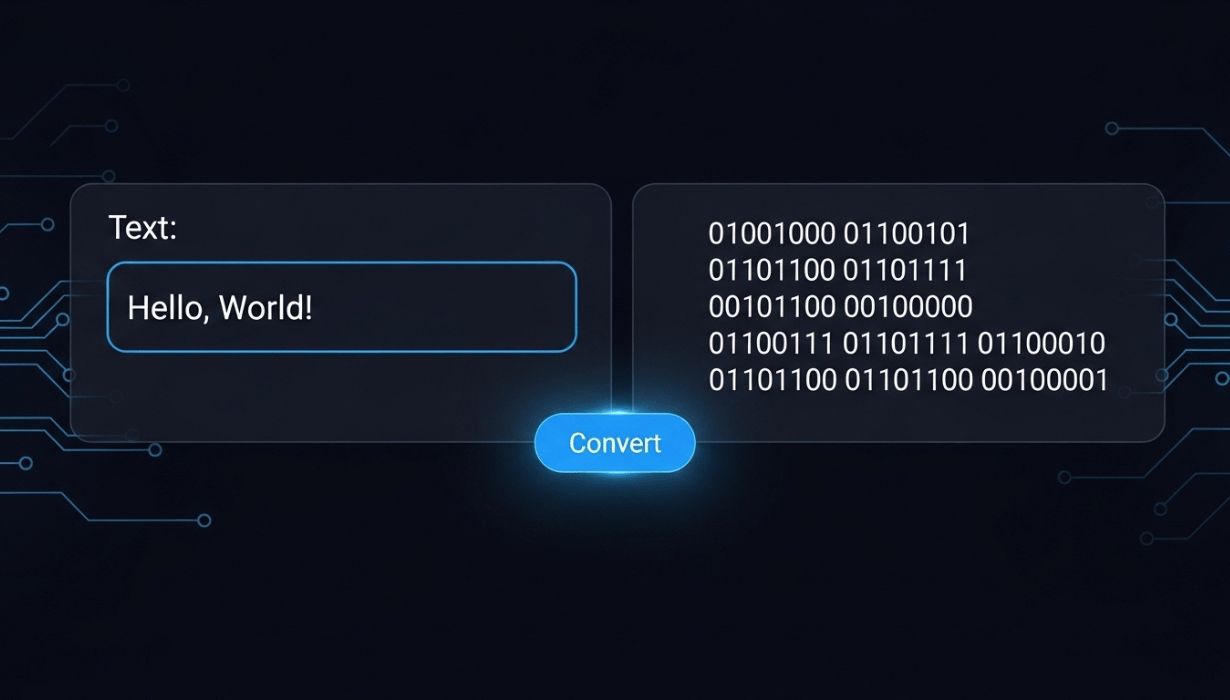
The word "Hello" in binary would be:
01001000 01100101 01101100 01101100 01101111
Each character is represented by 8 bits (1 byte), and these bytes form the binary representation of text that computers process millions of times per second.
How Does Text to Binary Conversion Work?
The conversion process is straightforward:
- Character Identification — Each character in your text is identified individually
- ASCII/UTF-8 Lookup — The character's numeric code is found in the encoding table (e.g., 'A' = 65 in ASCII)
- Decimal to Binary — The numeric code is converted to its 8-bit binary representation (65 = 01000001)
- Concatenation — All binary values are combined to form the complete binary string
Using a text to binary converter automates this entire process, converting any length of text in milliseconds.
How to Use MultiToolHub's Text to Binary Converter
MultiToolHub's text to binary converter is one of the most user-friendly free online tools available:
Step 1: Visit MultiToolHub
Go to multitoolhub.site and find the Text to Binary tool under the Converters section.
Step 2: Enter Your Text
Type or paste the text you want to convert into the input field. The text to binary converter accepts letters, numbers, special characters, and even emojis.
Step 3: Convert Instantly
Click the "Convert" button and your text will be instantly converted to binary code. The output displays each character's binary representation separated by spaces for easy reading.
Step 4: Copy the Result
Copy the binary output to use in your projects, assignments, or experiments. You can also use MultiToolHub's Binary to Text tool to reverse the process.
Why Would You Need a Text to Binary Converter?
You might be wondering: who actually needs to convert text to binary? The answer might surprise you — many different people use a text to binary converter regularly:
1. Computer Science Students
Understanding binary is fundamental to computer science education. Students use a text to binary converter to verify their manual calculations, understand encoding systems, and complete assignments.
2. Programmers and Developers
Developers working with low-level programming, networking protocols, or data encoding need to understand and work with binary representations. These developer tools online speed up the process.
3. Cybersecurity Professionals
Security experts analyze binary data when examining network packets, malware, and encoded communications. A quick text to binary converter helps with rapid analysis.
4. Educators and Teachers
Teachers use binary conversion tools to demonstrate how computers store and process information. It is a visual and interactive way to explain computer fundamentals.
5. Puzzle and Code Enthusiasts
Binary codes are popular in puzzles, escape rooms, geocaching, and ARG (Alternate Reality Games). Encoding messages in binary adds an extra layer of challenge.
6. Data Engineers
When working with data encoding, transmission protocols, and file formats, understanding binary representation is essential.
Understanding ASCII and Character Encoding
The text to binary converter relies on character encoding standards. Here are the most important ones:
ASCII (American Standard Code for Information Interchange)
- Defines 128 characters (0-127)
- Includes English letters (A-Z, a-z), numbers (0-9), punctuation, and control characters
- Each character uses 7 bits (but typically stored as 8 bits)
- The foundation of text encoding since the 1960s
UTF-8 (Unicode Transformation Format)
- An extension of ASCII that supports over 1 million characters
- Includes every writing system in the world plus emojis
- Uses 1-4 bytes per character
- The dominant encoding standard on the modern web (over 98% of websites use UTF-8)
Common ASCII Binary Values
- A-Z (uppercase): 01000001 to 01011010
- a-z (lowercase): 01100001 to 01111010
- 0-9 (numbers): 00110000 to 00111001
- Space: 00100000
- ! (exclamation): 00100001
- @ (at sign): 01000000
Binary to Text: The Reverse Conversion
MultiToolHub also offers a Binary to Text converter — the reverse of the text to binary converter. Simply paste binary code (like 01001000 01100101 01101100 01101100 01101111) and it will be decoded back into readable text ("Hello").
This two-way conversion is incredibly useful for:
- Decoding binary messages
- Verifying your binary encoding
- Solving puzzles and codes
- Learning exercises
Both tools are completely free online tools available on MultiToolHub.
MultiToolHub's Complete Encoding & Conversion Suite
The text to binary converter is part of a much larger collection of encoding and conversion online utility tools:
- Text to Binary — Convert text to binary code
- Binary to Text — Decode binary back to text
- Text to Base64 — Encode text to Base64 format
- Base64 to Text — Decode Base64 to text
- ROT13 Encoder — Encode data using ROT13 cipher
- ROT13 Decoder — Decode ROT13 encoded data
- Unicode to Punycode — Convert Unicode to Punycode
- Punycode to Unicode — Convert Punycode to Unicode
- URL Encoder — Encode URLs for safe transmission
- URL Decoder — Decode encoded URLs
- MD5 Generator — Generate MD5 hashes
- SHA Generator — Generate SHA hashes
As a multi tool website, MultiToolHub provides everything developers and students need for data encoding and conversion — all as free online tools.
Fun Facts About Binary
- The word "binary" comes from the Latin word "binarius," meaning "consisting of two"
- The binary system was formalized by Gottfried Leibniz in 1689
- Modern computers process billions of binary operations per second
- A single character typically requires 8 binary digits (bits) = 1 byte
- 1 kilobyte = 1,024 bytes = 8,192 binary digits
- The entire text of a Harry Potter book in binary would be millions of 0s and 1s
- Binary is used not just in computers but also in digital music, digital photos, and video
Practical Binary Exercises
Try these exercises using MultiToolHub's text to binary converter:
- Convert your name to binary — See how your name looks in the language of computers
- Encode a secret message — Send a friend a binary message and have them decode it
- Compare uppercase vs. lowercase — Notice the pattern difference between 'A' (01000001) and 'a' (01100001)
- Convert numbers — See how the number "42" as text differs from the binary number 42
- Try special characters — Convert emojis and symbols to see their binary representations
Frequently Asked Questions (FAQ)
Is the text to binary converter free?
Yes, MultiToolHub's text to binary converter is completely free with no limits or registration required.
What characters can I convert?
You can convert any character including letters, numbers, punctuation, spaces, and special characters. The tool supports the full UTF-8 character set.
How do I read binary code?
Binary code consists of 8-digit groups (bytes). Each byte represents one character. Use MultiToolHub's Binary to Text tool to decode binary back to readable text.
Is binary the same as machine code?
Binary is the number system (0s and 1s) that machine code is written in. Machine code is a specific set of binary instructions that a processor can execute.
Can I convert binary back to text?
Yes! MultiToolHub offers a Binary to Text converter alongside the text to binary converter. Both are free online tools.
Why are there 8 digits per character?
8 bits (1 byte) can represent 256 different values (2^8 = 256), which is enough to cover all ASCII characters. This has been the standard unit since the early days of computing.
Conclusion
Binary is the foundation of all computing, and understanding how text is converted to binary helps you appreciate the incredible technology we use every day. Whether you are a student learning computer science, a developer working with data encoding, or just someone curious about how computers work, MultiToolHub's text to binary converter is the perfect tool.
As one of the best free web tools 2026, our converter is instant, accurate, and completely free. Combined with Binary to Text, Base64 encoding, and other developer tools online, MultiToolHub gives you a complete encoding toolkit.
Visit multitoolhub.site today and start converting text to binary. Explore 100+ online utility tools on the ultimate multi tool website.
Contact
Missing something?
Feel free to request missing tools or give some feedback using our contact form.
Contact Us